Free · Launching first on Android

Every medical report,
for your whole family

Scan a prescription, upload a lab report PDF, or snap a photo — DrChQ keeps every report organised by type, date, doctor and hospital, ready when you need it.

Encrypted in transit
Private to your account
Free to use
Saved just now
Complete Blood Count
Lab report · 18 Sep 2026
Add a report
Scan · Photo · PDF
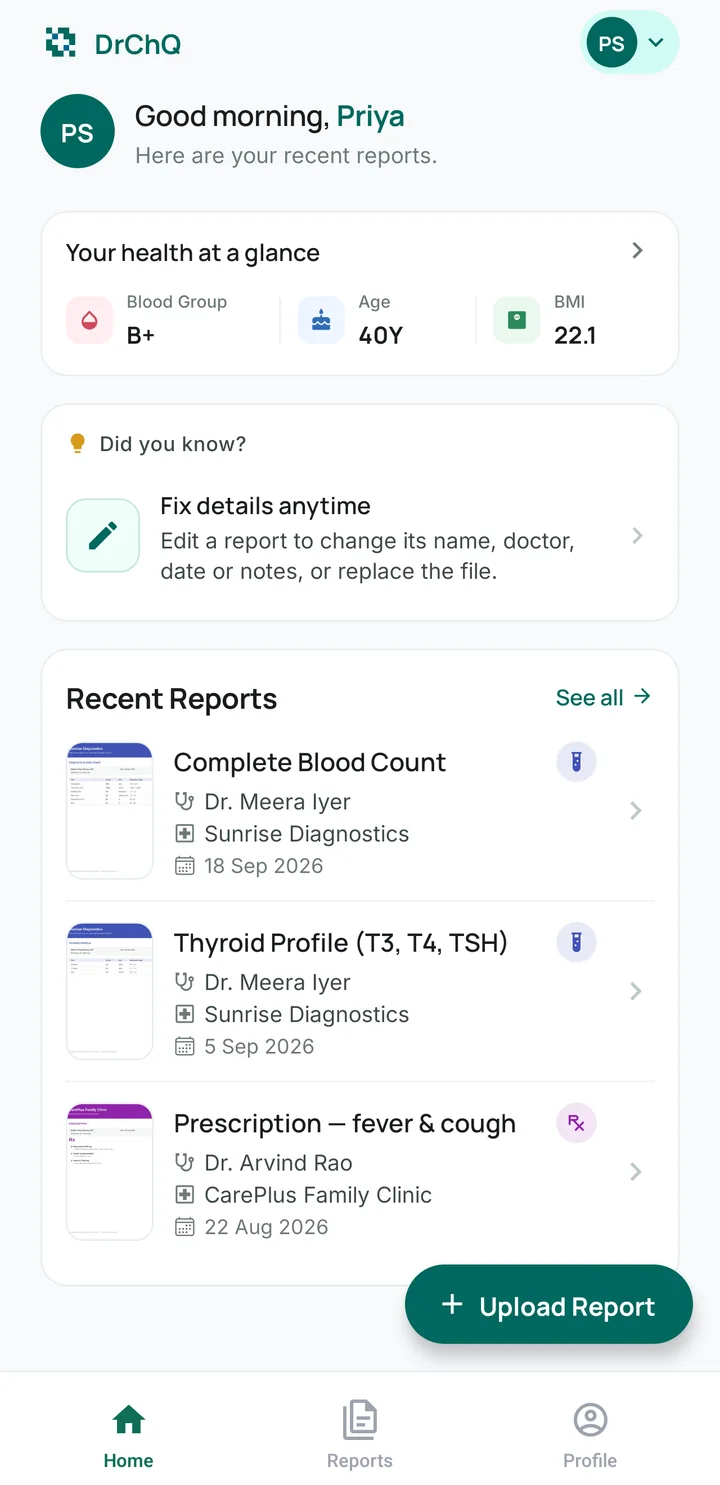
DrChQ Home screen: health at a glance with blood group, age and BMI, a tip card, and recent reports with document previews

No more digging through drawers, WhatsApp chats or email for that one report.

Why DrChQ

Everything your reports need,
nothing you don't

A calm, organised home for prescriptions, lab reports, scans and visit summaries — for every member of your family.

Scan or upload in seconds

Scan paper reports with your camera — edges are cropped automatically — or pick a photo or PDF from your phone.

Neatly organised

Every report carries its type, the date on the report, the doctor and the hospital or lab — grouped by year and month.

Find any report fast

Search by report name, doctor or hospital, or tap Prescription, Lab, Scan or Visit to see just that kind.

Your whole family

Separate profiles for parents, kids and partners under one account. Switch between them in a tap.

Preview, download, share

See every page right in the app with document previews on each report. Download or share a copy when the doctor asks.

Health at a glance

Blood group, age and BMI on your home screen, plus an emergency contact you can call in one tap.

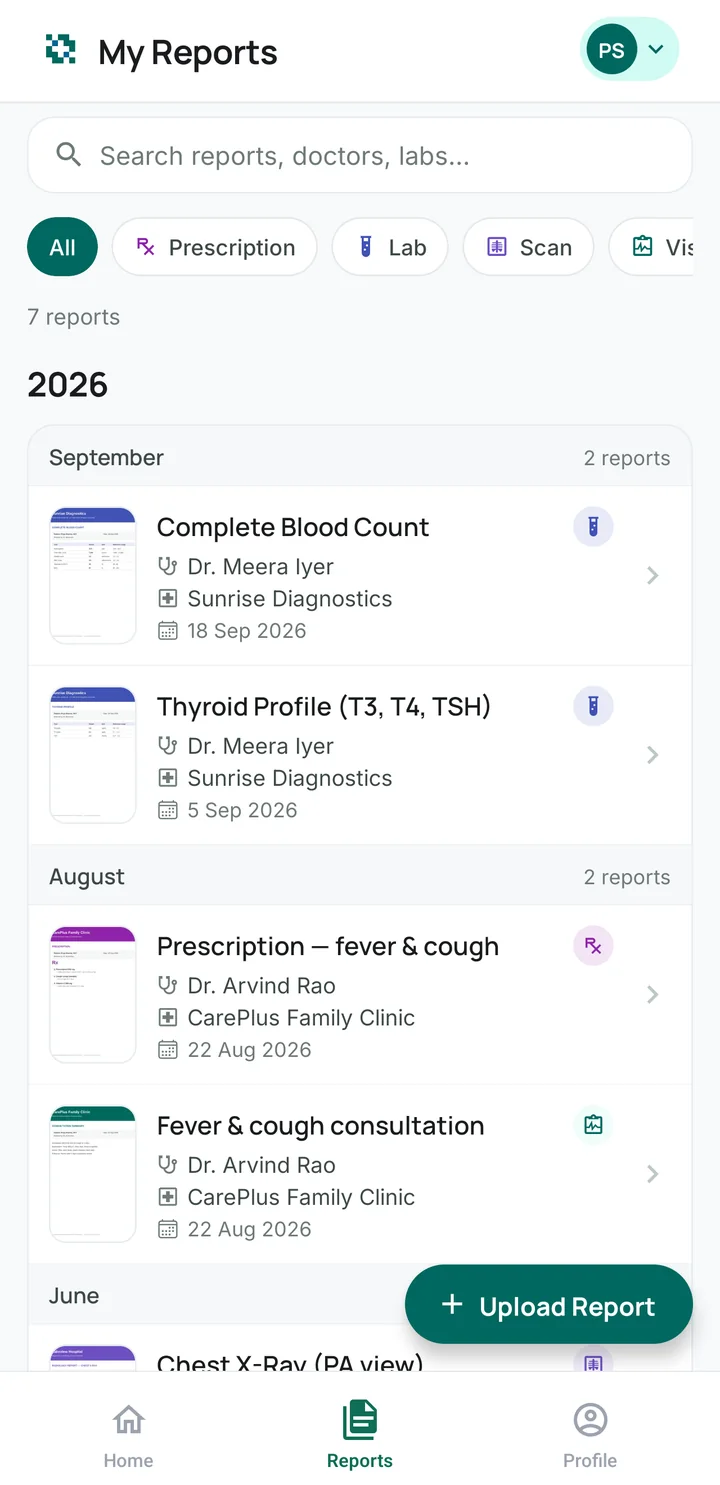
My Reports screen: search, filters for Prescription, Lab, Scan and Visit, and reports grouped by year and month
Reports

Your medical history, finally in order

Reports are sorted by the date on the report — not the day you uploaded it — and grouped by year and month, so your timeline always makes sense.

  • Prescriptions, lab reports, scans and visit summaries
  • A preview of every document right in the list
  • Search by name, doctor or hospital; filter by type
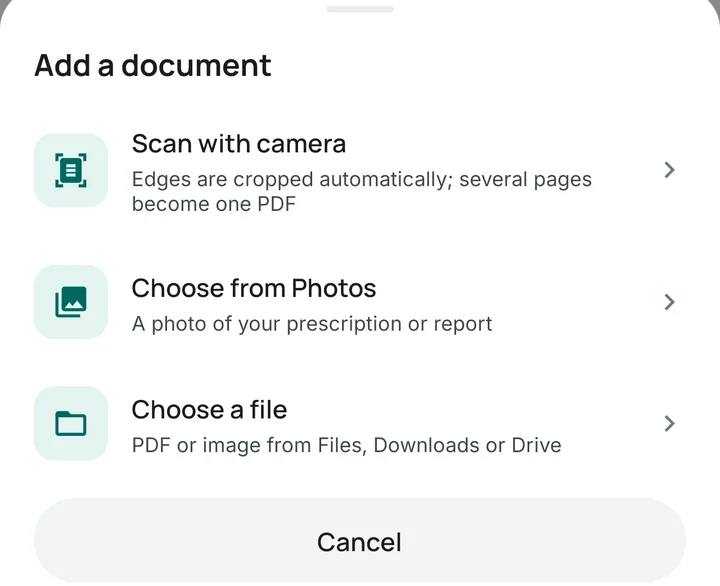
Add a document: Scan with camera, Choose from Photos, or Choose a file
Add a report

Paper, photo or PDF — it all fits

Point your camera at a prescription and DrChQ crops it for you; several pages become one PDF. Or pick a photo from your gallery or a PDF from Files, Downloads or Drive.

  • Automatic edge detection when scanning
  • Add the doctor, hospital or lab and your own notes
  • Offline? The upload finishes on its own when you're back
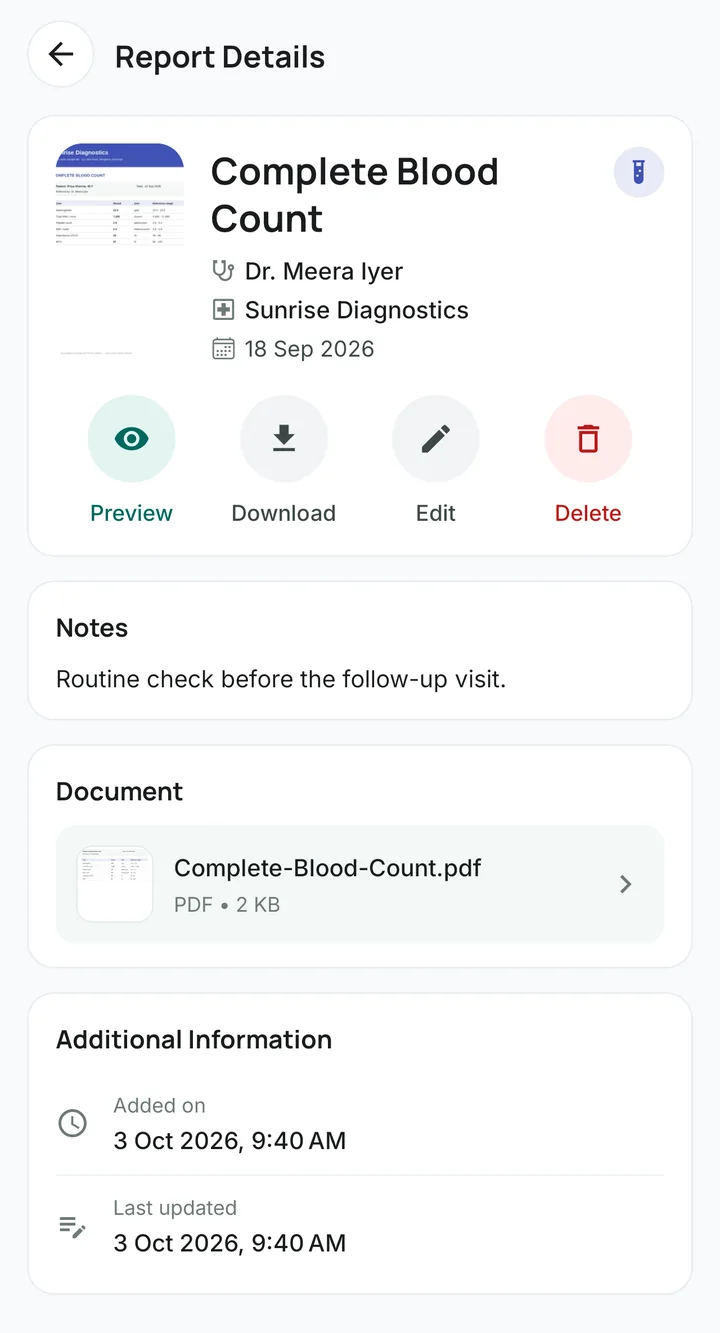
Report Details: document preview, doctor, lab and date, with Preview, Download, Edit and Delete
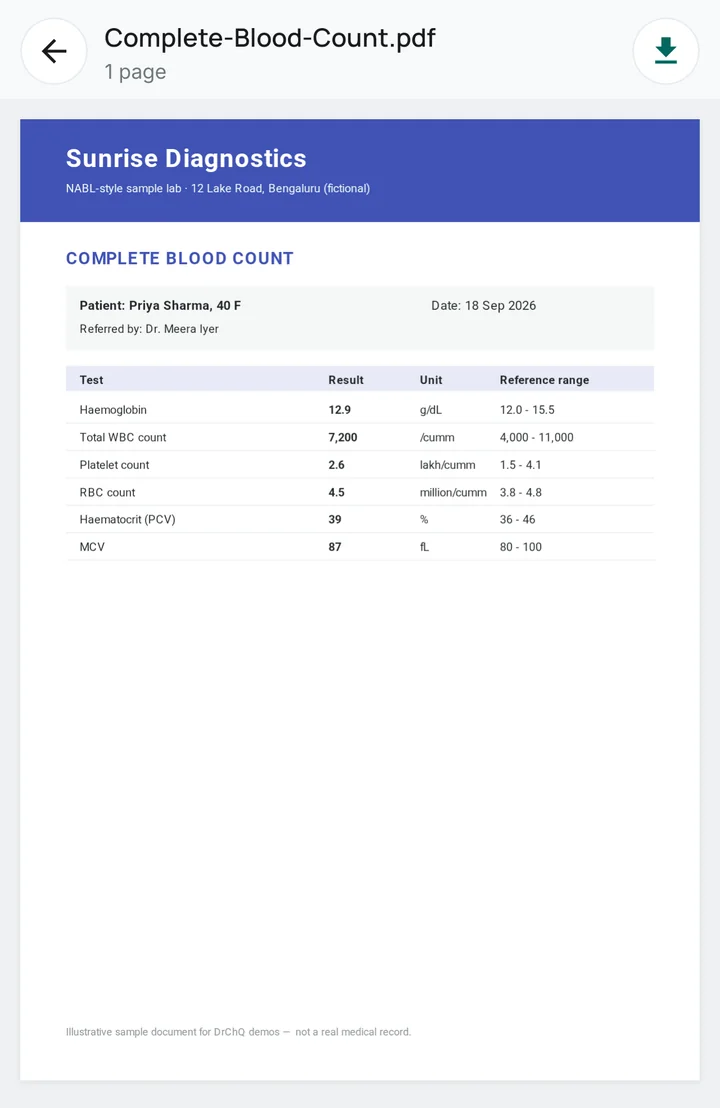
In-app preview of a lab report PDF
At the doctor's

Hand over the right report in seconds

Open any report to see who it's from and when, read the full document inside the app, and download or share a copy when the clinic asks for it.

  • Zoomable in-app viewer for PDFs and images
  • Edit details or replace the file anytime
  • Download saves a copy only when you ask
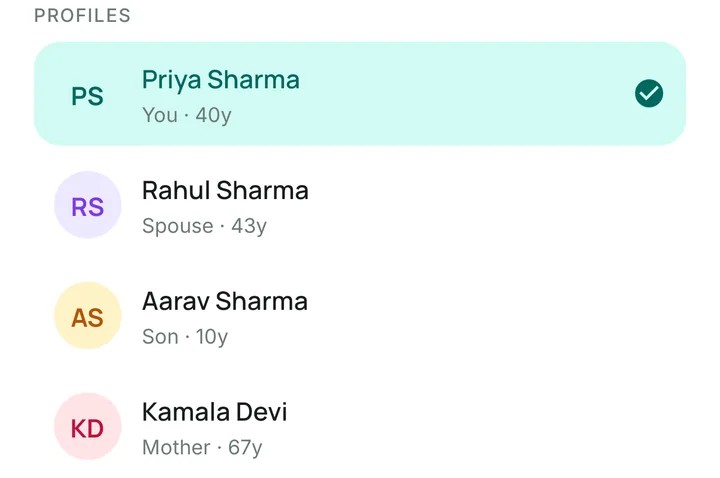
Family profiles: Priya, Rahul (spouse), Aarav (son) and Kamala (mother)
Family

One app for everyone you care for

Keep your parents', partner's and children's reports in their own profiles — never mixed up — and switch between them from the top of any screen.

  • A separate profile for every family member
  • Blood group, age and BMI for each person
  • Your number is their emergency contact by default
Getting Started

Set up in minutes

No forms to wade through. Four simple steps and your family's reports live in one place.

1

Sign in with Google

No new password to remember. A short setup asks only the basics, and you can skip what you don't know.

2

Add your family

Create a profile for each person you look after — parents, partner, kids.

3

Scan or upload

Scan paper reports or upload photos and PDFs, and add the report date, doctor and hospital.

4

Find it anytime

Search, filter and preview any report in seconds — at home or at the clinic.

On the way

This is just the beginning

We're starting with getting your reports in order. Here's what we're building next.

Coming soon

Medicine & appointment reminders

Gentle reminders for doses and doctor visits — for you and the family members you look after.

Coming soon

Health trends

See how values like blood sugar, cholesterol and blood pressure change across your reports over time.

Coming soon

Emergency health card

Blood group, allergies, medicines and emergency contacts on one card you can show in seconds.

Coming soon

Share with your doctor

Send a selection of reports to a doctor or family member with a secure link that expires.

Privacy

Your reports stay yours

Health records are personal. DrChQ is built so only you can see them — and we never sell or share your data.

Encrypted in transit

Everything between the app and our servers travels over an encrypted (TLS) connection.

Private file storage

Documents live in private cloud storage and open only through short-lived secure links for your account.

HIPAA-inspired safeguards

Our security follows the practices of the US HIPAA Security Rule — access checks on every request, encryption in transit and private storage — with Google sign-in, so no passwords are stored.

No selling, no ads

We never sell, rent or share your data, and it's never used for advertising.

Get your family's reports in order

DrChQ is free and launching first on Android. iPhone is on the way.